Budget-stretching tips for filmmaking, animation, motion graphics & visual effects… plucked from twenty painful years of pro experience.
    • HOME
    • ABOUT
    • SUBJECTS
    • LIST ARTICLES

    The key to good handheld: The horizon line… particularly with CMOS sensors

    Okay first, just to get some quick terminology clarified, there are three axes to change the orientation of your camera framing:

    1. Pan (turning to look left and right)
    2. Tilt (looking up and down) *As a side note, some people use the word “pan” to describe a tilt. Don’t do that, it makes you sound like a rookie cookie. Or maybe just a producer, ha.
    3. Roll (making the horizon line rotate, as if laying your head on your own shoulder)

    Pan & tilt are no problemo as part of anyone’s camera dynamics repertoire. But there is a huge caveat with roll. That’s because when us humans experience this in real life, our inner ear’s vestibular system does a primo job of conveying to our brains that it’s our head’s orientation that’s changing and not the planet earth’s.

    So when a camera uses roll, that offset reaction in our vestibular system isn’t occurring, and in its absence our brain’s initial primordial reaction is that the onscreen world is changing in orientation… which is usually not what the film is intending to convey. Except when you’re faking an earthquake or the 1960s USS Enterprise being hit by a Klingon laser beam. I jest, but those are actually perfect examples of this phenomena– it’s the lack of vestibular system reaction that allows those illusions to occur. Who like totally loves that I used the word “jest”? We totally got some Shakespeare In The Park On The Internet On A Blog goin’ on.
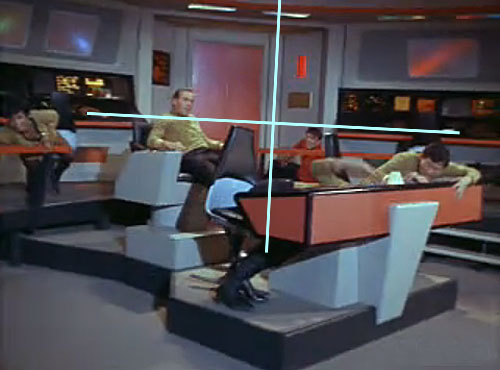
    Attention Star Trek nerds: that’s a 3 degree roll of turbulence inflicted on the ship, from the episode “The Corbomite Manuever”… ya know in case you wanna like run calculations on how that would’ve affected the warp drive’s dilithium crystals or whatever. In my defense, I had to wikipedia to find a nice trekkie vocabulary word like “dilithium crystal”. I MEAN IT I’M TELLING THE TRUTH.

    So anyway, if you’re trying to give a handheld POV chase shot an energetic, actiony feel, then put in a lot of frenetic pan and tilt, but try to minimize the roll. In a nutshell, the mantra of handheld should be “keep the horizon line straight”.

    Though there may be times that you want to induce disorientation, confusion and even nausea in your audience, and that is when you do use roll.

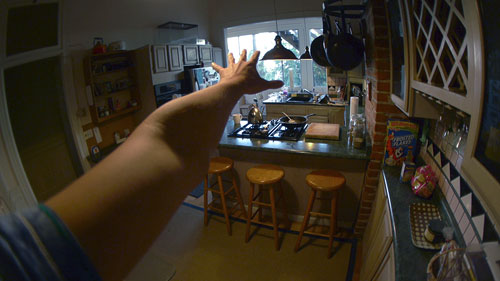
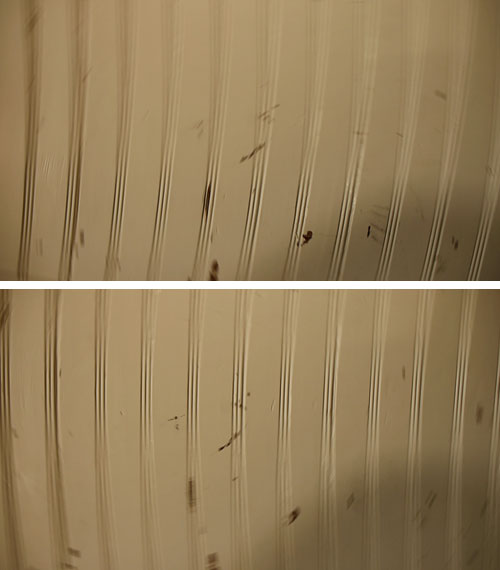
    And there’s also an additional factor with roll when shooting with CMOS sensors. Good handheld camera craftsmanship in general is of über-importance due to the sensors’ rolling shutter. To avoid “jello-cam” you have to be firstmost concerned with fast, jittery panning… but lots of fast back & forth roll can also give your footage that jibble jabble gloopy glopple jiggle, as pictured in the framegrabs below:
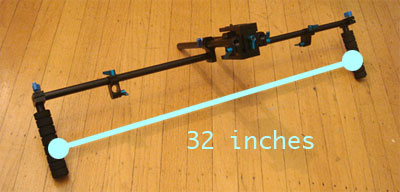
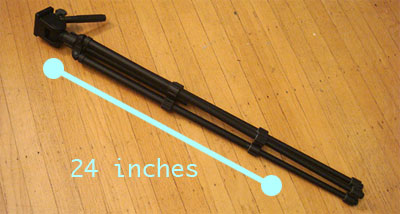
    So here’s a simple solution for minimizing roll: increase the radius of your support points from the camera, ie. maximize the distance between your hands. That way, when your left hand shakes half an inch, it’ll just create a 2 degree change in roll… as opposed to if it was one third the distance, the roll would be about 6 degrees. Here are a couple ways to apply this to your handheld shots:

    1. If you’re using a rail system, put your handles as far apart as logistically possible.
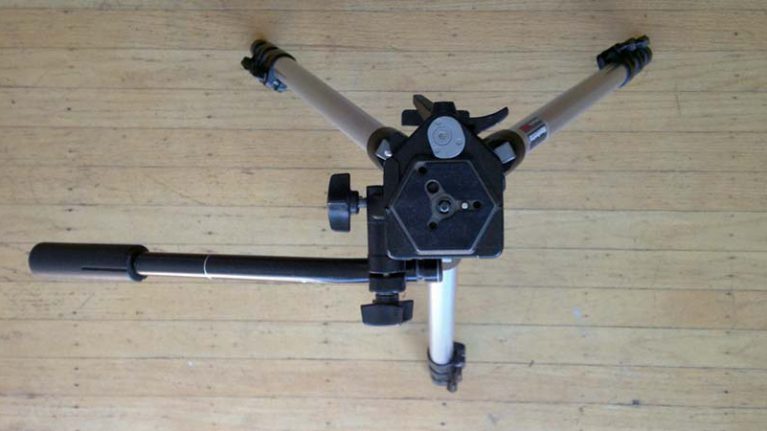
    2. You can use a cheap, light tripod with its legs together or a monopod and have one hand at the baseplate and the other as lower down as possible.
    For a little more help, you can also use a bubble level on your hot shoe and adjust accordingly during the shot.
    Share:
    Read more

    Making a crummy “emergency fader/variable ND filter” from RealD glasses

    Okay, this is really only useful for some kind of weird desperate situation where you’re willing to sacrifice image quality for shallow depth of field. Or maybe you’re stranded on a desert island with your camera, but without your fader/variable ND filter. Annnnnnd you’re making a short film instead of trying to survive and/or be rescued. Annnnnnd the tropical foliage in the background is really visually distracting from your lead actress (a volleyball with a face painted on it?), and you’d really love to shoot at f/2.8 instead of f/22 (and not resort to using a crazy fast shutter speed– maybe it’s a romcom, not a WWII action drama). Annnnnd you just happen to have pocketed a pair of those RealD glasses from when you wasted $15 on Clash of the Titans 3D. This is the longest pseudo-comedic preface ever. But it’s my way of saying “Yeah, I know this is actually more just an anecdotal Mr. Wizard’s World / MacGyver thingee rather than something you’ll ever actually need to use”.

    Yeah so anyway, do this:

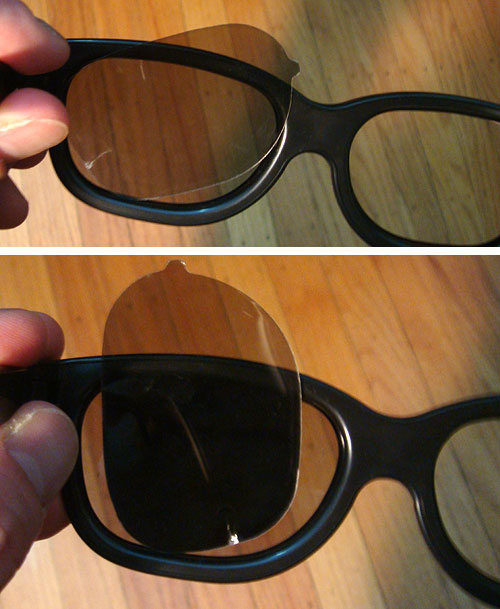
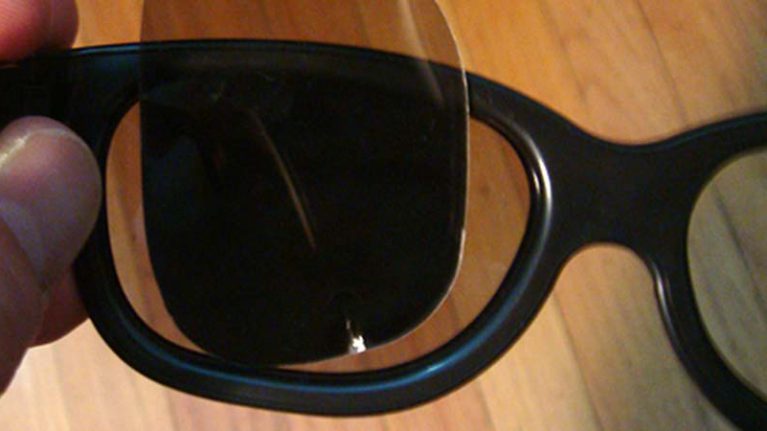
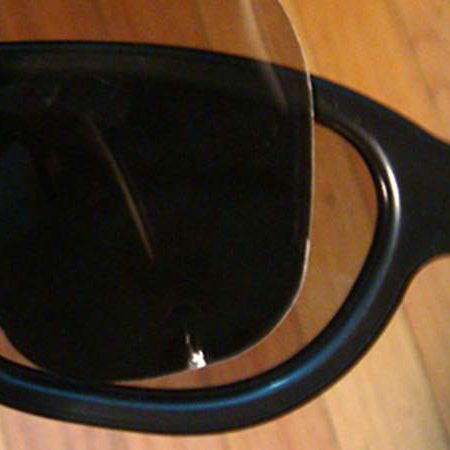
    1. Pop out the flimsy “lenses”, actually filters we’ll call them.
    2. Flip over the right filter.
    3. Put the right filter in front of the left filter.
    4. Rotate it 90 degrees.
    5. Enjoy all the loss of optical sharpness, chromatic aberrations, and color shifts those cheap quality polarizers are sure to cause.

    That is all. Also, I’m totally dying to know if the volleyball face lady falls in love and lives happily ever after or not.


    Share:
    Read more

    Animating off the (temporal) grid

    Say you’re using After Effects to animate five balls flying into a wall and bouncing off. Normally, you’d have to keyframe the instance of impact on an exact frame, before changing the direction of the ball’s position path to bounce off… which wouldn’t really have any kind of qualitative disadvantage if it was just one ball. But when there’s five of them, and all of them end up having the moment of impact occur exactly on a frame, it might feel “not chaotic & organic enough”. Or just plain unrealistic if it’s a visual effects shot… if you were to shoot video of five baseballs being thrown against a brick wall, only maybe one or two would have the concise moment of impact occur exactly during a video frame. For most of them, there’d be a slur of motion blur denoting that the impact was occurring either slightly before or after an exact frame. If the balls were composited in and all had the moment of impact synch exactly to frames, then it can kinda read subconsciously as synthetic to the viewer.

    This principle – that action does not naturally unfold synchronized perfectly to the occurrence of a particular framerate – can easily be applied to animation, if your project has need for such a thing. I totally just scored major snob-dawg points with that last sentence.

    1. For sake of example, say you’re using After Effects. Put your animated layers in a precomp that has triple the framerate as your main comp… ie. if your main comp is 29.97 fps, then make your precomp 89.91 fps.
    2. Animate the layers moving/colliding/bouncing/etc in the tripled (89.91) framerate precomp.
    3. In your main comp, you should see that the moments of change/impact/etc are sometimes occurring at a moment in time that’s between discreet frames.
    4. Moving any keyframes in the precomp by one or two frames allows you to put those moments of impact on or off “the temporal grid” of the main comp.
    5. Be sure to use the phrase “temporal grid” around your coworkers to look pretentious. Err, I mean classy. Classy and sophisticated. You know, like how James Bond is.

    Of course, if needed you can up the framerate of the precomp to whatever if you need more chaos/realism in the timing array of impacts.

    I first came up with this when working on the project pictured below, needing smaller units of time to distribute the keyframed squares that comprise the flame movement. Since then I’ve used it on VFX-ish compositing shots for the reasons I noted above.

    Share:
    Read more

    Panasonic’s GH2: If you’re an aspiring filmmaker then you really really really have no excuse anymore

    You’ve probably already heard some stuff about the GH2 and how great it is for video. I bought one and days later used it for a client project, and have since ran some tests. This camera is a big deal. Seriously, I can’t believe this thing exists… for the money, it just can’t be beat. For now at least.

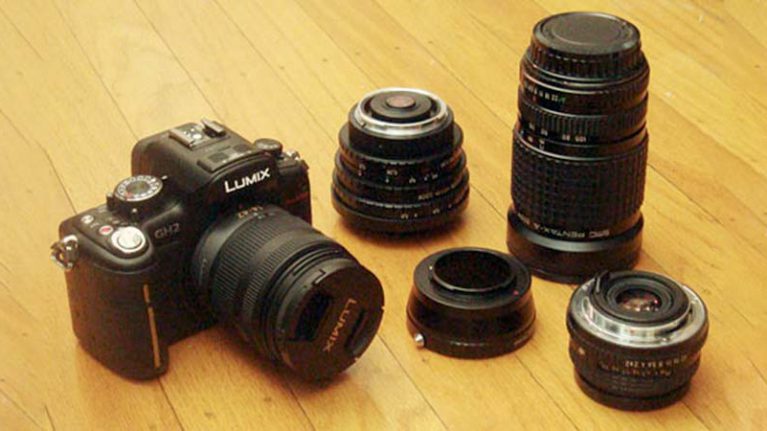
    Pictured here with the 14-42mm kit lens, and Fotodiox adapter which puts to use old analog SLR lenses I already done ownededed. Neato.

    No need for me to go over all the technical specs, that’s what the entire rest of the internet’s for. Here’s the bits that matter most in regards to low-cost filmmaking (I could care less about it as a stills camera)…

    1. It has a swivel screen, which right off the bat will save lots of time and headache in a no-budget shooting situation. Otherwise there’d be some low/high/oddly angled shots you just wouldn’t be able to get without shelling out for an external monitor.
    2. The Micro Four Thirds format has a sensor that’s slightly smaller than the size of 35mm motion picture film, which means it has a depth of field that’s close to such. Spherical-lensed, 1:85 35mm cine film (the most common format up until the mid/late 90s) has an image area of about 21.95mm x 11.87mm, and the GH2’s sensor in video mode is 18.8mm x 10.6mm (though nowadays nearly all Hollywood non-digital acquired films are shot on 24.89mm x 13.45mm Super 35mm). In my opinion, the mega shallow depth of field obtainable with the Vistavision-sized 36mm x 24mm sensor of the Canon 5D Mark II, while a nice option, is unneeded 99% of the time for video. And once you start shooting actual dramatic/narrative setups with focus-pulling, you’ll appreciate having more breathing room, especially if it’s a no-budget situation where you can’t afford to lose takes to focus problems. Bottom line: the depth of field “shallowness” is beyond good enough.
    3. The video footage looks great. It doesn’t have the aliasing/moiré/pixel-skipping issues that Canon’s 5D Mark II and 7D have… thin diagonal lines are smooth and clean in the GH2. The rolling shutter isn’t too much of an issue, and the compression looks pretty good for AVCHD.
    4. Probably the best thing about the GH2 is that you can use almost any old lens on it. This is huge. Once you make the jump into shooting with interchangeable lenses, the cost of glass usually becomes half the money involved. The flange distance (from back of lens to sensor plane) on the GH2 is really short, way shorter than analog SLR or DSLR formats. So if you simply get a cheap $30-40 adapter (basically just a metal ring that puts the lens further away from the sensor plane), then you can choose from literally hundreds of great old cheap lenses from ebay, garage sales, craigslist, whatever. Like go search for old Nikon F-mount manual lenses on ebay and behold. And on top of that, since the smaller sensor uses only the center of the lens, that means you can usually even resort to using ultra cheapo bad lenses, since most lens problems occur around the edges (you’re also scaling down to, and resolving for, only 1920 x 1080 pixels for video, which is very low res compared to still photos, so lower grade lenses generally should still perform perceptually fine). Take all that money you save and put it to work in front of your lens in the form of props, costumes, locations, actors, whatever. Just note that the effective focal length of 35mm still lenses will be doubled on the GH2… ie. an old 50mm Pentax K-mount lens will look like a 100mm in your footage. So you may end up buying a Micro Four Thirds lens if you like short focal lengths. One more note about using old lenses: if you don’t already own some, I’d recommend going with the Nikon F-mount adapter since there’s a lot of great old cheap Nikon lenses. And an added bonus: if you later get a Canon camera, you can use those Nikon lenses on it with another adapter because the Nikon flange distance is shorter than Canon’s.
    5. The body is only $900. THAT’S JUST FARGING RIDICULOUS THAT YOU CAN GET A CAMERA THAT SPITS OUT FOOTAGE LIKE THIS FOR A PRICE LIKE THAT. I started out with super8, then Hi8 video, then 16mm, then DV, HD… all those formats & cameras had some kind of serious flaw in regards to cost versus quality, and what I see in the GH2 is none of that. This is by far the most bang for your buck I’ve ever seen. And I have a feeling we’ve kinda reached the ceiling for a while in that regard. So waiting around for something better & cheaper is probably not gonna yield anything other than wasted time.

    $900 GH2 + $30 Pentax adapter + $220 Peleng 8mm lens = Footage that looks like this. Unheard of. You can peep the raw frame as 90% quality jpeg here.
    Okay, so here’s the bad things about it…

    1. You gotta deal with the audio issue… either record double system with something like the Zoom H4n for $300, or plug the GH2 into a BeachTek box. Orrrrrr… if you already have a miniDV or whatever camcorder with decent audio, then you can use that to record audio. Having the visual reference in the audio footage also can make synching sound to picture faster.
    2. It’s usually out of stock, so finding one takes more legwork than just clicking five or six times in your browser. I have a feeling video production companies are buying them in three’s. I wonder if anyone has bought it not primarily for video… probably not, that’s what the Canons are for. REALTALK.
    3. Using multiple old lenses makes using filters complicated. If you’re shooting in direct sun and wanna open up your aperture wider than like f8, you’re gonna need an ND filter. So to not spend mucho bucks on multiple screw-mount ND filters for all the varied lens face sizes, you either need to invest in a matte box & rectangluar filters (very expensive), or get one set of ND filters in a big face size and a step-up ring for each of your lens face sizes (not as expensive).

    Of course, there are many higher quality, better workflow video camera options out there (duh), but if you’re looking for a camera to try out filmmaking or up your game from HDV/etc with minimal financial risk, then straight up the GH2 is it. Feel lucky you weren’t born twenty years earlier. Or thirty. Or whatever, you know what I mean.

    Check out my recommendations for a barebones budget GH2 kit.

    Share:
    Read more

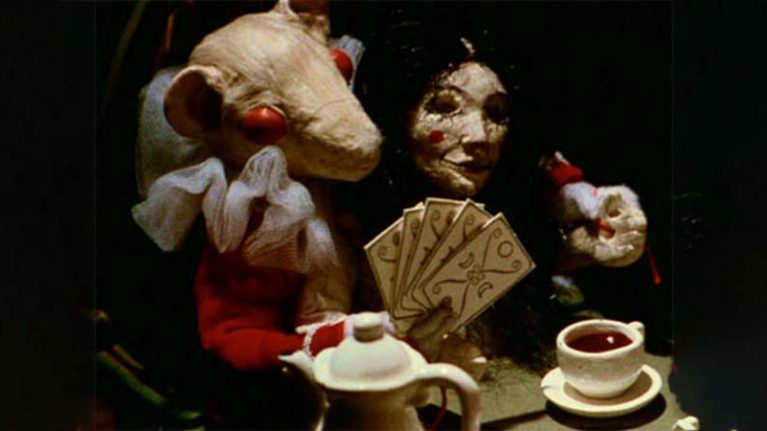
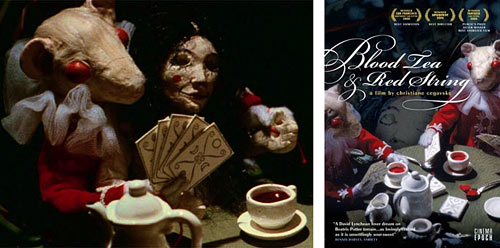
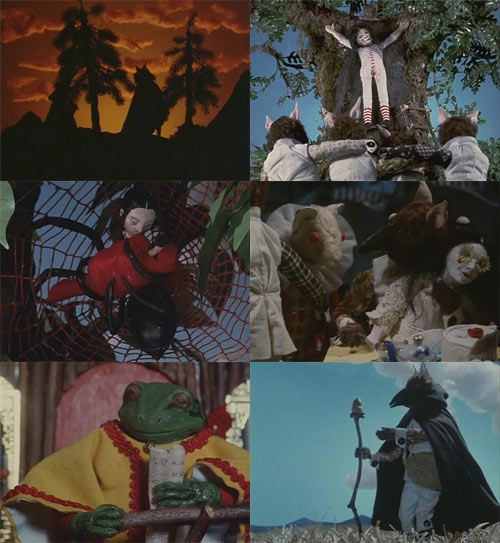
    No-budget inspiration: Blood Tea and Red String, a stop-motion animated feature

    Christiane Cegavske’s Blood Tea and Red String is one of just a handful of genuinely auteur stop-motion animated feature length films ever made, and she did it completely by herself (aside from the audio) over a course of twelve years. That is like some major helzyeah.

    I highly recommend checking it out. It’s kinda like if David Cronenberg and David Lynch had a baby that had a fever dream after watching James and the Giant Peach, put through a goth filter.

    And here’s the filmmaker discussing the project at Anime Los Angeles, 2007…

    And if you read this in time, you should check out her Kickstarter page for her new stop-motion feature… kickstarter.com/projects/978812285/seed-in-the-sand

    Also check out these earlier “no-budget inspiration” articles…

    No-budget inspiration: One Thousand Years, a narrative feature

    No-budget inspiration: Laurel Nakadate’s experimental narrative features The Wolf Knife and Stay The Same Never Change

    Share:
    Read more

    Realism in night exterior lighting

    Meek’s Cutoff, directed & edited by Kelly Reichardt, is a very well-crafted, interesting film with an ethereal contemplative tone, with many sequences that utilize unconventional framing and cadence. This is kinda a pretentious way of me saying “I liked it”.

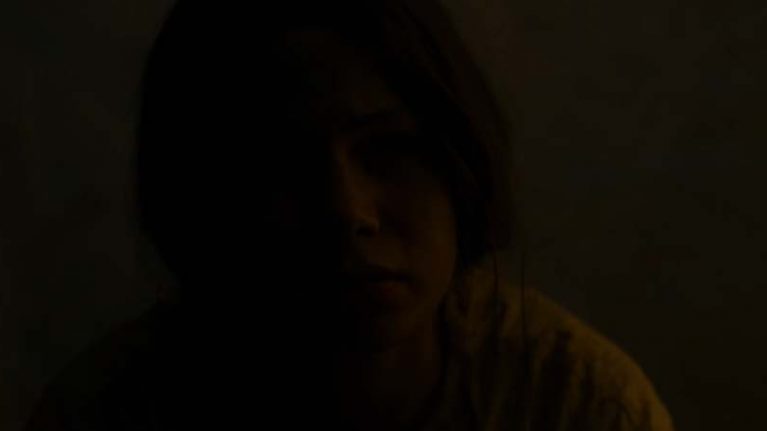
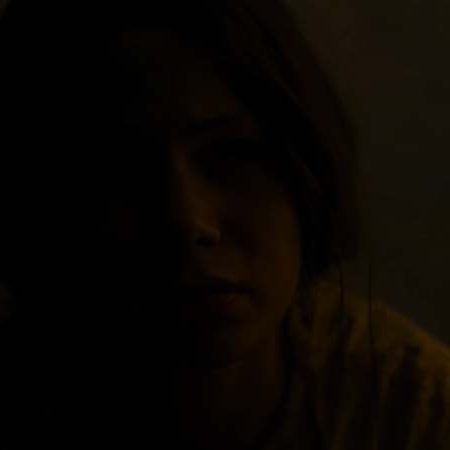
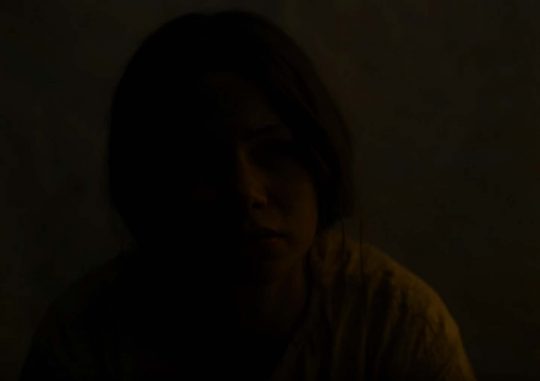
    Yeah so anyways, there are also some scenes that are lit unconventionally as well. The standard fare in lighting night exteriors is to have a bluish kicker that’s boorishly motivated by the moon, lots of soft fill, some sort of visible casted shadows, and hosed-down shiny wet asphalt if it’s in a city. But in Meek’s Cutoff there are shots that get pretty realio realness with night exterior lighting levels and ratios… like you can just barely make out the form of someone’s face– which is pretty accurate for what an 1800s western prairie would be like at night.

    Above is a frame from the trailer, which may be a tent interior shot, I dunno, but it shows the kind of ratios/exposure stuff I’m talking about. Whether you agree with it as a creative decision or not, it’s interesting to see how it looks when executed by a DP who knows what they’re doing (Chris Blauvelt, who was a camera assistant & operator for Harris Savides). It also was released in 4:3 aspect ratio which is both ballsy and creatively appropriate since it helps depict the endless landscape in a different, non-cheesy “hey look at this widescreen vista of an endless landscape” way.

    Share:
    Read more

    No-budget inspiration: Laurel Nakadate’s experimental narrative features The Wolf Knife and Stay The Same Never Change

    One of my most favoritest things in the world is when an awesome “fine artist” makes a semi-conventional narrative feature-length film. This also seems to be general moviegoing audiences’ most LEASTEST favorite thing, ha. If you get an opportunity, check out Laurel Nakadate‘s second feature The Wolf Knife, which was shot over a course of ten days with no money and a crew of three, on an unspecified Sony HD camcorder borrowed from a college after her funding evaporated at the last minute.

    Her first feature Stay The Same Never Change was shot in Kansas using local people who showed up to an open casting call. Probably the most endearing never-say-die thing about it is that there are numerous actors in it with black bars over their eyes whenever onscreen. I assume this is due to release/permissions issues. Yet it was still compelling enough of a film to make it into Sundance. Her list of accolades and awards for her two films are really impressive, as are the films themselves, even with the usual formal flaws of a no-budget project.

    Also check out my earlier post…
    No-budget inspiration: One Thousand Years, a narrative feature
     

    Share:
    Read more

    Paying off location owners with your day job’s free perks

    So this is probably gonna be more anecdotal than pragmatically useful. But maybe someone can use this for their project…

    When I was a 21 year old art student, I was asked by a peer in the department, Chad Hutchison, to be DP for his very ambitious film project. He didn’t really have the money to make it happen, but we found all kinds of ways to stretch the budget. His part-time job was as an assistant manager at a big chain movie theater, where he was regularly given a booklet of vouchers to hand out to complaining customers, basically to make them shut them up and go away.

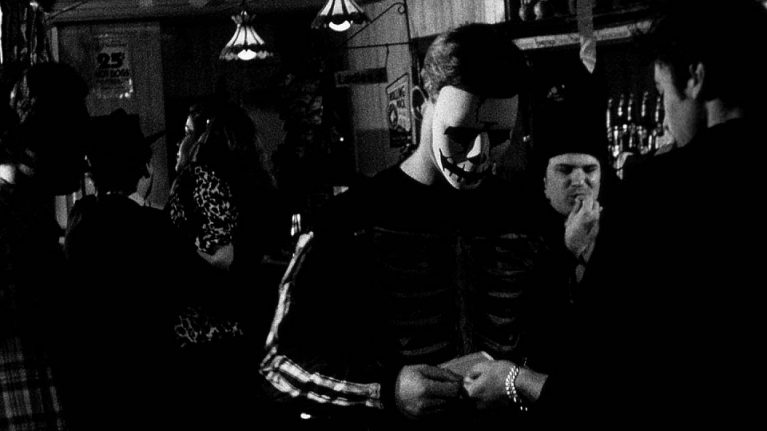
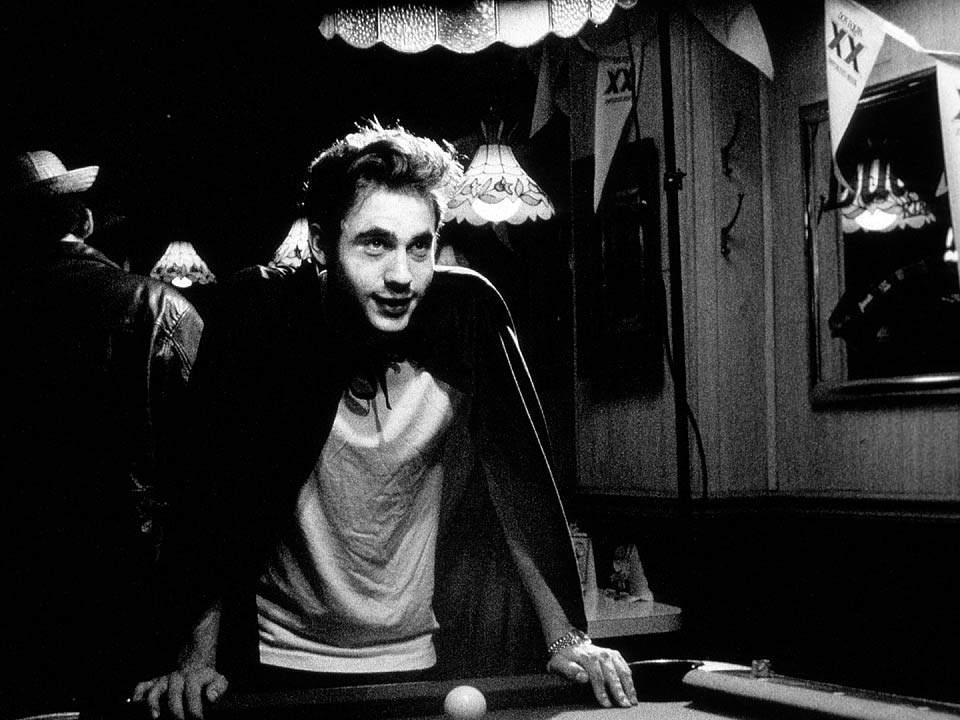
    To most people, free movie tickets are as good as cash. So he would kinda ration them until he’d be given a new booklet, and we could have our little pile of “filmmaker Monopoly money” as I would call it. We were able to pay for two days of shooting at a local pub by shelling out a stack of them to the owner. If you’ve ever shot at a private location with the owner/manager present, then you know how huge of a difference it makes if they’re getting compensated– asking them to flip a circuit breaker or turn off a loud ice machine is no big deal for them when they have something in their pocket from you, versus it being a big annoyance when they’re doing it as a free favor. Oh yeah, I remember we also decorated the bar for halloween… it’s a safe bet that had we not been paying, they wouldn’t have allowed that, which would’ve had a definite negative impact on our already meager production value. So if you have any kind of access to job perks stuff like that, keep in mind you might be able to pay people with it… never hurts to ask. After a particularly long, exhausting shoot day our actors appreciated them as well.

    Yeah so, I guess if you don’t have any budget and you work at like a pizza place that lets you take home one pie at the end of your shift, maybe work out a deal where you drop it off after work for X number of days. Okay, maybe I’m just fantasizing that someone would be paying me that way. Like right now. Whatevs, I’m hungry.

    You can see clips from that film (including some from the paid-for bar scenes) at dopjaan.com/213.html.

    Share:
    Read more

    No-budget inspiration: One Thousand Years, a narrative feature

    There aren’t very many genuinely no-budget feature length films out there (as opposed to this term sometimes being used, ungenuinely in my opinion, in the industry to describe films made for less than $100,000). There especially aren’t very many that are good. As in, good enough to inspire. I know sometimes we can be inspired by seeing someone make a feature that turns out crappy, because it comforts us to truly feel like “I could probably make something better than that piece of garbage”. But that’s not really inspiration, that’s just unintentional self-exploitation of our own insecurities. BuT u DoNt WaNNA b nO hAtER, DAwG.

    So anyways, if I remember any notable no-budget films, I’ll do a lil’ post on them in the hopes that they can lead by example that it very much so is possible to make something good or even great, or maybe at the very least inspiring, with whatever limited resources you have within your grasp.

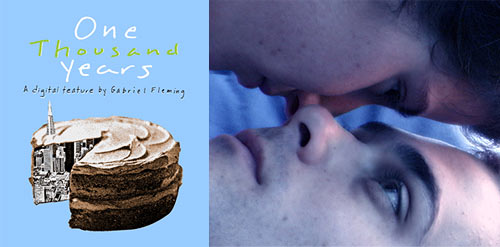
    A dude named Gabriel Fleming made a film called One Thousand Years on miniDV in the early 2000s. He basically made the whole thing as a one-person crew, with occasional help from a boom operator. Hellzyeah, mucho props on that. I somehow heard about it, and the short clips on the site impressed me so much I ordered his self-distributed DVD. Even though it’s lacking technically and formally (as are all no-budget films), this pre-mumblecore gem has some sparkling moments of artistry in it, in addition to a really great overall tone/texture– one that is genuinely auteur. And “genuinely auteur” is the most valuable, and unfortunately most rare, of qualities in narrative cinema. Kinda a bummer no one’s giving this dude 6 or 7 figure budgets to make films now, ten years later. But he did make another inexpensive feature called The Lost Coast which I’ve yet to see, though it’s in my long ass netflix instant que.

    www.gabrielfleming.com/oty.html
    Oh wait. Unfortunately I just noticed the clips and DVD ordering part of the site are down. Oh well.
     

    Share:
    Read more

    Smoother pans & jib moves

    So this is just a quick thingee that came to mind at my last shoot, when I was coaching a crew member to operate the head on a jib move since he’s 6’10″… we also got to freak out the studio manager by having him hit the switches on some grid-mounted lights without a ladder, ha.

    Yeah so anyway, while helping him work through the move I got to remember something that’s just second nature to me now:

    1. When doing a pan/tilt or jib move, always set up your body’s position to be most comfortable & natural feeling at the end of the move, with the uncomfortable twisted pose at the beginning, so that your body will just naturally finish at the planned end point, at a nice ease out velocity.
    2. If the move requires moving your feet, mark your footsteps and generally approach the move as a dance rather than fixating on the viewfinder… focus more on the timing and movement of your body than that of the camera.

    If you’re old then you probably think of that as common knowledge, but I see people executing long pans without this simple technique all the time. I assume with all the internet-educated film/video people out there, old fundamental stuff like this just gets lost in the tech/gear-centric shuffle. I actually remember learning it when I was 19… at the public library amongst old filmmaking books from like the 70s where all the guys in the photos had big beards and tight corduroy clothes.

    Share:
    Read more
    Subscribe for updates & useful free tools

    We'll never share your email and
    you can unsubscribe at any time.

    More articles

    • Planning for reflections for highly efficient VFX

    • Efficient footage filenames when using an external recorder

    • Using a car interior as an audio booth

    • Sharpening your footage in post — in a non-crummy way

    Categories

    •  Pre-Production
    •  Shooting
    •  Practical Effects
    •  Post Production
    •  Visual Effects
    •  Animation / Motion Graphics
    •  Promotion & Distribution
    •  Reference & Inspiration
    •  Ultra-Frugal Beginners

    Popular tags

    • 16mm
    • Actors
    • After Effects
    • Animation
    • Audio
    • Budgeting
    • Buying guide
    • Canon 5D Mark II
    • Cinematography
    • Circular polarizer
    • CMOS sensor
    • Color grading
    • Compositing
    • Coordinating
    • Costumes
    • Day exterior
    • Depth of field
    • Direct sunlight
    • Do-it-yourself
    • DSLR/DSLM video
    • Example project
    • Funding
    • Greenscreen
    • HVX200
    • Jib
    • Lens
    • Lighting
    • Live-action
    • Location
    • Micro Four Thirds
    • Miniatures
    • MiniDV
    • Neutral density
    • Night exterior
    • No-budget gear
    • Optical filtration
    • Pan/tilt
    • Panasonic GH2
    • Physical effects
    • Props
    • RealD
    • Rookie mistakes
    • Stereoscopic
    • Stop-motion
    • Tripod

    © Make/Time/Move, 2016

    Budget-stretching tips for filmmaking, animation, motion graphics & visual effects… plucked from twenty painful years of pro experience.

    Forget password?

    What are you looking for?